
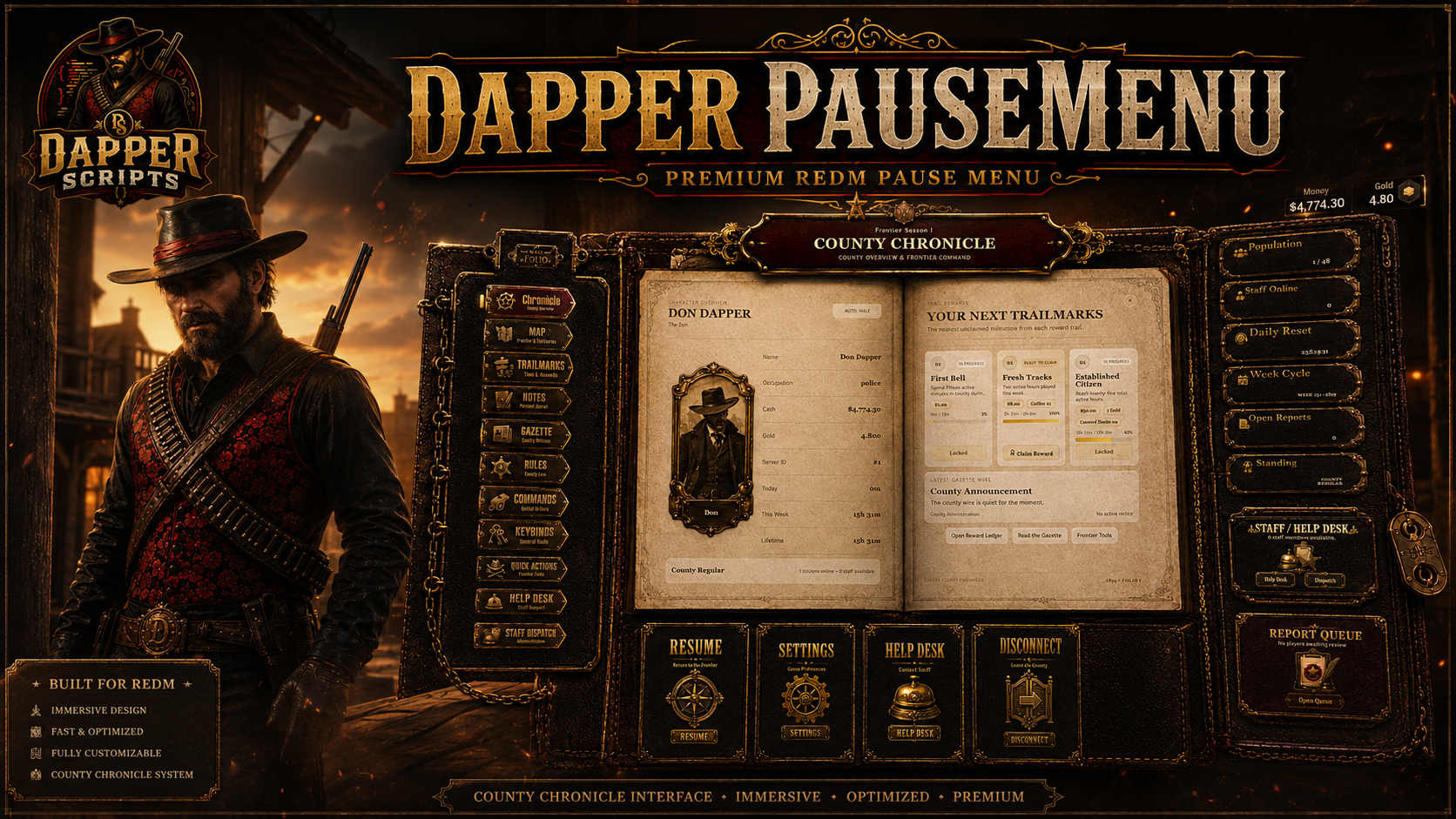
Dapper Pause Menu
A fully custom VORP pause menu built as an immersive county chronicle, combining character information, rewards, personal tools, county resources, live support, and staff management inside one unmistakably western interface.
A pause menu designed to feel like part of the world
Dapper Pause Menu was built from the ground up with custom artwork, carefully placed interface elements, responsive page layouts, character-specific data, immersive animations, and practical systems players and staff will actually use. It replaces the usual collection of plain boxes and generic icons with a complete county folio made specifically for RedM roleplay.
Official Showcase
What Is Dapper Pause Menu?
Dapper Pause Menu replaces the native RedM pause screen with a custom county chronicle for VORP servers. Players can review their character, upload a personal portrait, track playtime, collect rewards, keep private notes, read county announcements, review rules and commands, contact staff, and access essential game actions without breaking the presentation of the server.
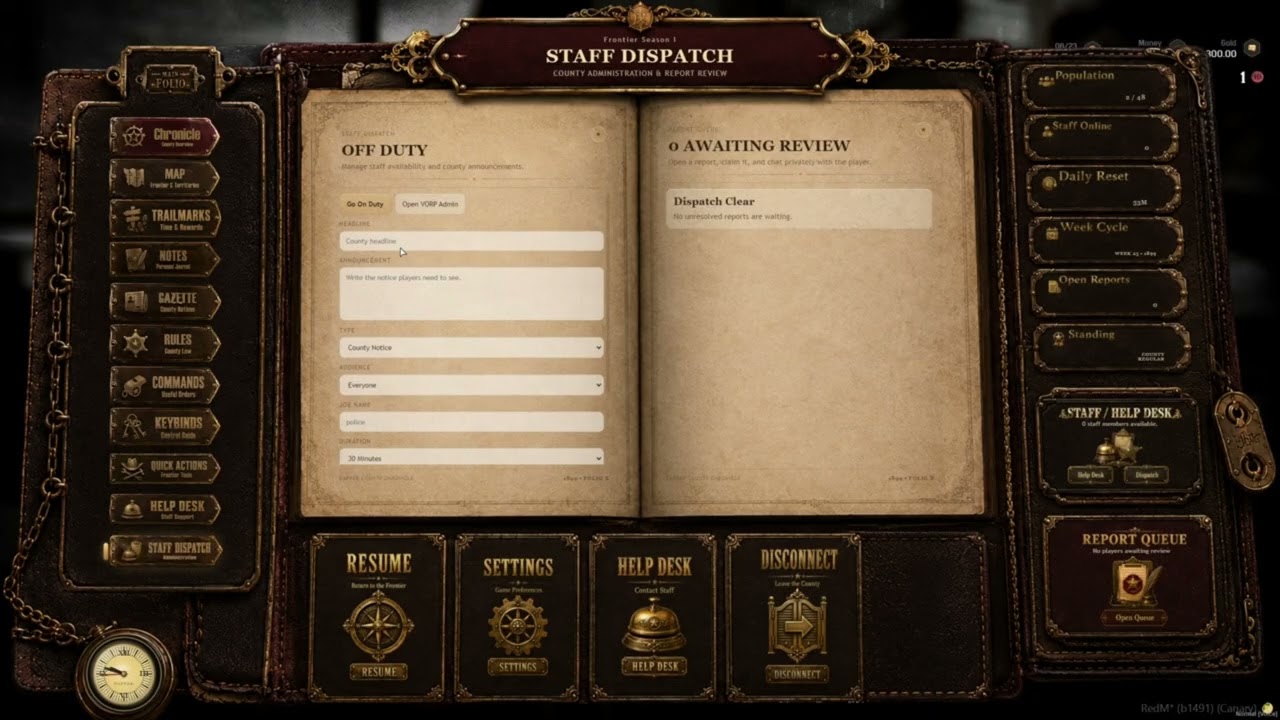
Authorized staff receive their own dispatch tools for managing live support conversations, duty status, report queues, Gazette notices, and optional VORP Admin access.
Character Chronicle & County Overview
The main Chronicle gives each player a polished overview of their character and the current state of the county.
- Character name and identity information
- Occupation and rank information
- Current cash and gold display
- Automatic male or female default portrait
- Persistent custom portrait upload per character
- Online population and maximum player count
- On-duty staff count
- Daily reset countdown
- Current weekly cycle display
- Player county standing based on total playtime
- Open report count for authorized staff
- Live analog in-game clock
- Configurable welcome and information carousel
Persistent Character Portraits
Players can preserve a custom portrait for each VORP character instead of being forced to use one universal image.
- One custom portrait stored per character
- JPG, PNG, and WEBP upload support
- Automatic browser-side resizing and compression
- Configurable upload and stored-image limits
- Persistent database storage
- Replacing a portrait updates the existing character record
- Customizable default male and female artwork
Trailmarks Playtime & Reward System
Trailmarks turns active time in the county into visible progression. Playtime is tracked separately for daily, weekly, and lifetime milestones, with rewards configured by the server owner.
- Daily active-time milestones
- Weekly active-time milestones
- Total character playtime milestones
- Visual progress bars and unlock states
- Manual claimable rewards
- Optional automatic weekly reward delivery
- Cash, gold, item, XP, and supported role-token rewards
- Fallback item-name support for inventory compatibility
- Pending reward delivery when an automatic reward cannot be immediately completed
- Persistent claim history to prevent repeated collection
- Fully configurable reward IDs, requirements, titles, descriptions, and contents
Personal Notes
Every character receives a private journal area for leads, reminders, plans, evidence notes, shopping lists, or whatever else players insist they will remember and immediately forget.
- Create and edit private notes
- Search saved entries
- Pin and unpin important notes
- Delete notes with confirmation
- Character-specific database storage
- Configurable note, pinned-note, title, and body limits
County Gazette
The Gazette gives staff a proper in-game publishing system for county announcements, events, notices, job information, and internal staff communication.
- Staff-created Gazette announcements
- Public notices for every player
- Staff-only announcements
- Job-targeted announcements
- Configurable announcement duration
- Server-wide notification when a new public notice is published
- Private headlines protected from unauthorized audiences
- Staff review of all active Gazette entries
- Delete control with confirmation for outdated or incorrect posts
- Immediate synchronized removal for connected players
- Persistent database-backed announcement history
Live Help Desk
Players can open a proper support conversation from inside the pause menu instead of scattering requests across chat, Discord, and increasingly desperate smoke signals.
- Configurable support categories
- Persistent player support requests
- Live player-to-staff conversation
- Complete message history
- Open, claimed, and resolved report states
- Assigned staff member display
- Reply notifications outside the pause menu
- Configurable report and chat cooldowns
- Configurable report and message length limits
- Only the correct player and authorized staff can access the conversation
Staff Dispatch
Authorized staff receive a dedicated dispatch page built into the same Chronicle rather than a disconnected administration window.
- Staff duty toggle
- Live unresolved report queue
- Report category, player, age, and status information
- Claim unassigned reports
- Reply directly to players
- Resolve completed reports
- Outside-menu staff notifications
- Publish and remove Gazette posts
- Optional Open VORP Admin shortcut
- Access through ACE permissions, configured VORP groups, or a custom permission function
Rules, Commands & Keybind References
Important server information is organized into readable ledgers rather than one endless wall of text.
- Configurable rule categories and entries
- Rule filtering and organized presentation
- Configurable command categories and descriptions
- Optional safe command execution buttons
- Reference-only commands for entries requiring typed arguments
- Configurable keybind and control reference
- Direct access to RedM input settings through Quick Actions
Quick Actions & External Links
- Resume gameplay
- Open the native map
- Open game settings
- Open input and keybind settings
- Open configured Discord, Tebex, and website links
- Safely disconnect from the server
- Configurable server labels and link descriptions
Immersive In-World Presentation
The menu changes the character presentation based on the selected section, helping the interface feel connected to the game world.
- Map-holding pose while browsing the main Chronicle
- Newspaper prop and reading animation inside the Gazette
- Bible prop and preacher pose inside the Help Desk
- Separate configurable male and female animation entries
- Automatic prop and animation cleanup when changing pages or closing
- Optional screen blur
- Optional player disarming while the menu is open
- Native pause-menu blocking and configurable opening controls
Customization & Branding
The resource is designed to be rebranded for individual servers without exposing the protected core Lua logic.
- Server name, short name, season, tagline, and quit message
- Chronicle, Gazette, and county branding
- Discord, store, and website links
- Decorative frontier year
- Welcome carousel cards
- Rules, commands, keybinds, and help categories
- Playtime and reward milestones
- Staff groups and ACE permission
- Portrait and note limits
- Gazette and Help Desk behavior
- Editable NUI HTML, CSS, JavaScript, artwork, and image files
Persistence & Database Storage
- Character playtime and cycle progress
- Reward claim history
- Pending automatic rewards
- Gazette announcements
- Help Desk reports and message history
- Custom character portraits
- Private character notes
- Included SQL installation file
- Optional automatic table creation on resource start
Server-Side Validation & Safety
Important actions are not trusted simply because a button exists in the NUI. Permissions, ownership, reward delivery, audience restrictions, cooldowns, and persistent changes are validated by the server.
- Server-authorized staff access
- Reward eligibility and duplicate-claim protection
- Inventory and currency delivery validation
- Character ownership checks for notes and portraits
- Gazette audience filtering and publishing permissions
- Help Desk participant and staff validation
- Configurable request, upload, chat, and publishing cooldowns
- Upload type, size, and stored-data restrictions
Performance
Dapper Pause Menu is primarily event-driven. The NUI, props, and character animations are active only while the interface is being used. Playtime is saved at configurable intervals, while most data is requested or updated only when needed.
Requirements
- RedM
- VORP Core
- VORP Inventory
- oxmysql
- Current RedM server artifact
- Optional: VORP Admin for the Staff Dispatch admin shortcut
Installation
- Place the resource folder in your server resources and keep the folder name dapper_pausemenu.
- Import the included SQL file or allow the resource to create its tables automatically.
- Configure branding, rewards, rules, commands, staff access, and server links in config.lua.
- Ensure dependencies load before Dapper Pause Menu.
ensure oxmysql
ensure vorp_core
ensure vorp_inventory
ensure dapper_pausemenu
What Is Included
- Dapper Pause Menu RedM resource
- Fully custom Chronicle NUI
- Character portrait upload system
- Trailmarks playtime and reward system
- Private Notes system
- County Gazette system
- Live Help Desk and Staff Dispatch
- Rules, commands, keybinds, quick actions, and external links
- SQL installation file
- Editable configuration file
- Editable NUI and visual assets
- Installation and configuration documentation
- CFX Asset Escrow-ready resource structure
- Support and future purchased-version updates
Code Access & Asset Escrow
Core client and server Lua logic is protected through Cfx.re Asset Escrow.
The following remain accessible for installation and customization:
- Configuration
- SQL installation
- Documentation
- NUI HTML, CSS, and JavaScript
- Interface artwork and image files
Support
For installation assistance, setup questions, updates, and bug reports, join the Dapper Scripts Discord.
Dapper Pause Menu brings character identity, county information, rewards, personal tools, support, and staff management together in one premium western interface.
Subscription-based: No • Framework: VORP • Support: Included • Approximately 10,000+ lines